As we think about what happened during the spring semester and look forward to the summer, here is some food for thought!




As we think about what happened during the spring semester and look forward to the summer, here is some food for thought!

There are many good reasons to keep your course from growing too big for its own britches. A large course could impact your student’s learning experience because:
Keeping these things in mind there are steps you can take to manage your online courses so they don’t become overwhelming, unnavigable, burdensome and out of control.
Step 1: Keep your course organized.
One of the easiest ways to think about your online course’s health and well being is to keep it organized. Traditionally when we think about our courses being held in an LMS, we think of our course as having large containers that hold different types of content like assignments, tests and course materials.

This can be an easy way to think about organizing at the beginning, but the end result is that over time, these buckets become catchalls or laundry lists of everything you’ve ever added to your course. This causes your students to suffer from over scrolling and to constantly search for important information and activities. Another side effect of this particular organizational method is that it causes the instructor to have trouble determining whether or not they put “that file” in the course.
Instead of large “buckets of information”, why not think of chunking them across topics, or by time. That way, all of the information and activities that a student will need to interact with during a specific week or around a particular topic is located in the same space.
 By organizing your content, you make it easier for you and your students to find what you are looking for and reduce the ‘laundry list’ effect.
Step 2: Use Course Links to cut down on content cloning.
 The next step in our online course weight loss plan covers the use of one particular document in different places throughout your course. Whether it is a special rubric, a project guideline or just something you want available easily for your students, it is natural to just want to add the document where you need it. Over time, you create multiple versions of the same document that just adds extra weight to your course and makes your list of course files hard to deal with from a file management perspective.
Most learning management systems provide a way for you the instructor to “link” to the document in question wherever they are in the course. Here at Sam Houston State University, we use Blackboard and it provides this ability via the Course Links content item. Course Links allows instructors to link to files, content items and course activities anywhere in their course.
This way, an instructor only has to add 1 instance of whatever it is they want to use throughout the course and link to it from other course areas.
Step 3: Reduce the size of images BEFORE placing them in your course.
By now, we are all familiar with the fact that adding contextually relevant images to your course is a best practice. Course images engage your students, stimulate different parts of the brain and break up what would otherwise be an ocean of Times New Roman or Arial text.
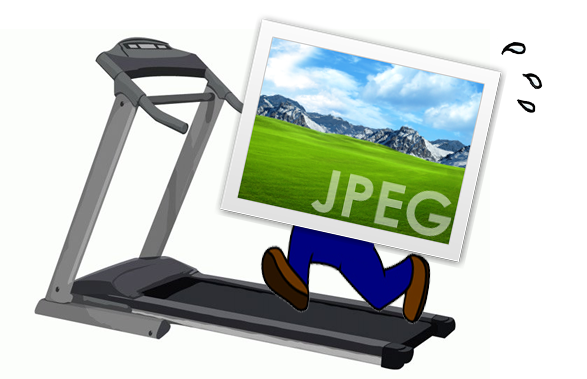
The issue for instructors is that the learning management system does not provide a way to reduce the size and weight of the image prior to placing it in a course. It does not allow you to change the “visual appearance” of an image by resizing how the image looks, but this DOES NOT reduce how much space the image takes up in your course or how long it takes a student on their computer or mobile device to see the image.
The good news is that almost every computer comes with a software that will help you change the size and weight of images before you place them in the course. In most cases, once you are in the software reducing the size of the images automatically reduces how much drive space they takes up. Below we will provide a few links to helpful how-tos on the Internet, but you can always google the topic and find what works for you.
Step 4: Use streaming services and Internet links for videos rather than uploading them directly to your course.
 One of the most effective ways to engage your students online is to employ videos along with learning activities throughout your course. Videos add another dimension to your course that connects with your students and can be viewed on whatever device they may be utilizing.
The best practice for how to leverage videos in your online course is to host them with a streaming service or link to videos already hosted elsewhere. Burdening your LMS with Gigs of video files will have a direct impact on your students, because the way they are hosted/loaded is not ideal for streaming on mobile devices or even computers. Also the more large files you add to your learning management system the more you can affect its performance.
Fortunately, there is a great way for you to utilize video in your online courses while following the best practice. Just use other video hosts and provide links and embeds in your online course. Here at SHSU, Blackboard has the ability to directly embed YouTube videos in your course while leaving them hosted in YouTube. It does this via the YouTube mash-up and the Video Everywhere tool. We also utilize Kaltura for video/lecture capture and screen recording. Blackboard employs a Kaltura mash-up and content building tool to place these videos/screen recordings directly in your course content.
Teaching an online course can be intimidating in its own right. Make it easy on yourself. Keep your course in “eLearning shape” by ensuring your course is properly organized, providing links to course documents you want to use in multiple places, reducing the size of graphics and pictures before you insert them in course content, and using streaming services and internet links rather than uploading heavy video files directly to your course. These aren’t the only steps you can take, but they are a great place to start.
Having an Effective TA for Your Online Course
We all know that teaching online requires instructors to think differently about how their course is delivered. While the methodologies of learning are still in play, the online medium requires you to proactively account for multiple learning strategies when putting together, delivering and interacting with your course and students.
Online instructors fortunate enough to work in departments who provide Teaching Assistants, feel like they have a lifeline in this strange “new” online world. However, the fact that you have a Teaching Assistant does not make the stars align, world peace occur and automatically make everyone fall in love with your course. There are some things to consider about utilizing TA’s in your online course that can make the overall experience more successful.
Combat Inferred Digital Nativity – #providehowtosforTAs
 We like to think that the next generation is more “plugged in” and that they “get it” (whatever “it” may be) when it comes to technology. While this may be true for their smart phone (Let’s take a selfie!), it does not guarantee immediate understanding of your institution’s Learning Management System.
This is why it is important to put your TAs/Doctoral Fellows through the same kind of technology “how-to” sessions that are available to you as a faculty member. At Sam Houston State University, TAs/Doctoral Fellows have the option of participating in any of the teaching online certification programs, which provide a strong base for starting out on the right foot, particularly for those who will teach online courses in the future. These technology development efforts help increase course interaction, engagement and ultimately satisfaction for both instructor and student.
Use your TA to Increase Student Engagement – #notjustforgrading
 There are three types of interaction in any good online course:
Each one of these plays an important role in student satisfaction as well as student success. With online class size growing, it does become more challenging to engage every learner in the student/instructor interaction more than a few times during the course. TAs can play a very important role in helping to increase student/instructor interaction, as they fall under the “instructor” umbrella in this equation.
You can assign your TA to work on specific discussion forums within the course to provide feedback, answer questions, or to gently nudge students in a particular direction to ensure objectives are met. This ability to flex your teaching assistant is not limited to discussions. They can help out with blogs, wikis, web conferences and more. This can help increase the one-on-one interaction time you provider learners throughout the duration of the course.
Use your TA to Increase Instructor Presence – #untilwefindacloningmachine
 There are only so many hours in a day, so many days in a week and honestly, there is such a thing as a work/life balance. Leverage your TA to help with office hours, web meetings and other times where you may be spread too thin to be in two places at once. They can also help with answering “virtual office” or “general questions” discussion forums if you are at a conference, out of town or fulfilling research requirements.
Put a Face to your TAs Name – #gettingtoknowsue #orstew
More than likely, you have a place in your course where you introduce yourself to the class. It may be in your Virtual Office area or in some other spot. It probably has a picture, some contact info and a brief bio. This would be a great place to add a second item that introduces your TA to the online students. That way when students see discussion replies, grade book feedback and more, they will know who it is from.
Making the course more personal for your students is always a best practice. Connecting your students to you and your TA will allow the students to feel like that they “know” you and this is especially important when it comes to online feedback.
Use your TA to Unleash your Online Grade Book – #feedbackmachine
 Once a course is developed, where is the one place where you may spend most of your time in? The answer is overwhelmingly, the grade book. A well-used grade book or grade center can make the difference for you, as well as for student success and satisfaction.
Gone are the days where students would check the door to the classroom twice a semester (midterms and finals) to figure out how they were doing. Nowadays, students receive updates on their phones when an assignment in their course has been graded, when an exam grade has been posted, or when their group projects have been evaluated.
Leveraging your TA to help with the grade center can help decrease grading turnaround time and increase the amount of times a student receives personal feedback on graded items in the course. Any LMS worth its salt has a Rubric tool that faculty can employ to ensure grading guidelines are followed down to the individual criterion by the teaching assistant. Even if you limit your TAs to a particular number of assignments to grade, it will help with the amount of grading you have to do and the amount of time it takes to get that grade to the students.
TAs add value to what you are already doing in the online course. They are an important supplement and providing them with technology skills, leveraging them to increase student engagement, introducing them to your students, using them to increase instructor presence and empowering them to enhance feedback with your grade book are best practices that can contribute to success and satisfaction for you, your students, and your online course.

One of the best things about the connectedness of the web space is the ability to find media rich content to supplement or enhance course activities and materials. The beauty of this particular medium is that it is not just left to the instructor to utilize this media. Students can now liven up online discussions, assignments, projects and more with historical, current or relevant video or audio media. YouTube has long been a mainstay in this arena, in that it’s API allows for easy integration and everyone is familiar with what it does. However, there are other vast collections of resources out there that are relatively untapped by the student/faculty population. One of these curated resources is NBC Learn.
NBC Learn is a rich and unique resource that provides thousands of historic news reports, current event stories, original content, primary source documents, and other digital media specifically designed to teach and engage students. NBC Learn content can easily be downloaded for offline use or connected to your institution’s Learning Management System, which in my case is Blackboard.
The content is also fully accessible it allows for keyboard navigation, assistive technologies(works with screen readers), support for deaf and hard of hearing. http://www.nbclearn.com/accessibility

You can Browse NBC Learn, and see the Collection of all NBC resources within the NBC Learn environment. You can browse by category that best matches your field of study or just Search NBC Learn via keyword.
Each video has its own CueCard with metadata like source, date, description, keywords, & citation (allows students or faculty to include citation in posting), as well as transcript tab for full transcript.

NBC Learn & Blackboard – Working Together
There are a couple of ways to add NBC Learn content to your courses:

This particular option allows both you and your students to build context around the video. Whether you are introducing a unit or your students are adding to a vibrant online discussion, using the Mashups button in the content editor can add rich media throughout your Blackboard course.

The beauty of this option is that the media itself becomes a piece of course content.
*Depending upon your institution’s setup, you may be able to leverage a NBC Learn content module that will allow you to display categories of videos like: NBC Learn Science, History, News, Social Studies etc…
NBC Learn and Blackboard have integrated and that is a win for Blackboard instructors and students. Now course content and contributions can become more rich, relevant and engaging!
Speakers:
Megan Cole – Head of Marketing at Badge Labs
Dr. Melissa Stange – Lord Fairfax Community College
Richard Shelton – Coordinator of Academic Services Northeastern State UniversityDonna Shelton, PHD – Professor of Spanish, Northeastern Oklahoma
Badge Labs – Consulting and Development term for Open Badges
Open Badges Ecosystem:
What are open badges?
Representing skills that are real based on real tasks and work. Employers are willing to pay for hire for and give credit for real results.
can be used to:
Badge anatomy: name, description, criteria, issuer, evidence, date issued, standard, tags
Badges can
Building an Open Badges Ecosystem: Openness, Learner Agency, Innovation (Blackboard, IMS Global, Mozilla, Badge Labs, digitalme, Pearson, concentric sky)
We will be at 10million badges issues by 2016.
Lord Fairfax CC Digital Badge Pilot: 1 f2f two online courses 74 students in total, badges & certificates possible, adding a “My Badges” button, Mozilla backpack.
Students didn’t know how badges apply to them after they left college. Had to educate the students while they educated us. Credly was more preferred to backpack. GPAs went up. Badges were a motivator
Results
– Retention rate went up
– More uploads to backpack if extra credit given
– Increased quality of learning
– increased faculty discussion of badges
– Improved collaboration in online courses
– Expanded learning opportunity – e portfolio
– Provided discussion between curriculum advisors & college
– CBE moving forward got approved
– nationally accredited badge
Lesson’s learned
Next Steps
Richard Shelton – Northeaster State University
Use in course projects – series of milestones awards: submissions and completely and grade they received.
used to increase motivation to submit assignments and to improve submission rate
Encourage students who enjoy gamification (used in university studies course)
Positive anecdotal results.
Sequential online instructor training courses – used to promote awareness of badges.
Next Steps: Moving to University-level achievements.
Continuing education – Police Officers seem to like badges.
Donna Shelton:
CAEP is new version of NCATE -CAPE go throuth SPAs to evaluate various groups
Digital badge use through Blackboard to be implemented in fall 2015 as key element of new program.
New digital badge based assessment eight aligned ACTFL Standard 6, Professional Development, Advocacy and Ethics
Standard 6: candidates engage in ongong professional development opportunities that strengthen linguistic, culture and pedagogical competencies.
– Series of conferences with program faculty (educate about badges)
– Course embedded and extracurricular opportunities to earn badges: 3 badge categories, acceptable performance level: two badges in each category
– Reflection essay in last half of student teaching semester
Badge Types and example Tasks:
Language Proficiency, Cultural Knowledge and Pedagogy
Why?
Custom achievements, badge icon creation, use Organizations to track across courses, Upgrade will include portfolios that go across courses.
Challenges:
Moderator:
Katie Blot, Sr. VP Corporate Strategy & Business Development:
Panelists:
Richard Culatta, Director of the Office of Educational Technology, U.S. Department of Education @rec54
Amy Laitinen, Deputy Director, Education Policy, New America @amylaitinen1
Kent Hopkins, Vice Provost for Enrollment Services Arizona State University @KenthopkinsASU
Kris Clerkin, Executive Director, College for America at Southern New Hampshire University @KrisClerkin
Disconnects Between Student Needs and Expectations – Student Empowerment over Education pathways and experiences.
Kris Clerkin –
Most online programs are organized around needs of institution. SNHU has new program around needs of student (Competency Based Education Model, Learning Coach, No Grades) – working with corporate partners to roll out these programs.
Kent Hopkins –
Working with students as partners. eAdvisor – allows students to be a guide in their program of study. SchedulePlanner – think of how many students are working while they are in school. Combines work and education.
Barriers to scaling innovation
Amy Laitinen –
Institutional level – culture of what’s best for faculty/admin needs to move to culture of what’s best for students.
Software/Info systems are not set up to be student-centric and competency based. How can existing tech/new tech accomodate.
Hope is that people are talking about it <–this panel
Policy – Federal financial aid up until recently only paid for time (credit hour), DOE started to offer aid for direct assessment of student learning rather than the credit hour.
Disruption to Financial Model
Kent Hopkins –
ASU is the educational provider for Starbucks. Providing Starbucks employees affordable education. 7 1/2 week courses. 4800 Starbucks partners in class by Fall 2015
Spent more time coaching/helping student understand that they can do it, but go in with eyes wide open.
Kris Clerkin –
Skills Gap is big. Attack through corporate partnerships. Just beginning to understand the needs of the new “traditional” student.
Richard Culatta –
Drop cost of community college by 20% by dropping textbook and use open educational research. User experience problem in Higher Education. Build your class schedule around your work schedule – do you know how hard that is? Optimize around scheduling. Getting into Higher Ed System – You can only go if you’ve already been. Need to stop that. GPS accepts mistakes – technology we need to have in Higher Ed. Learners are #newtraditional #newlearner
Kris Clerkin – Removing Barriers – User experience design is the key. Empathetic Design.
How are you going to incorporate student voice into Higher Ed?
Richard Culatta –
Involving Students in meaningful ways: Reverse Mentor (student mentoring the higher ed leadership), Using students to drive change with faculty – Pair them with the students. Get student feedback about larger experience and not just class level. Student mentors from same high school. Using student to help students.
Kris Clerkin – Importance of learning communities – high level of participation. There may be too much choice for students?
Kent Hopkins – Use data to understand student behavior and then try to humanize it. Invest in Transitional Advising.
Amy Laitinen – Listening is key. Ask students in meaningful, deep and profound ways.
One thing you want to see happen in edu in 10 years –
Kris Clerkin – system designed for me
Richard Culatta – Vin Diagram
Kent Hopkins – Largest growing Youth pop comes from lowest socioeconomic families – benefits of post secondary education need to be communicated. Veterans: someone can help vet take gi benefits, timetable, and fit it in to degree .
Speakers
Dr. Deborah M. Seymore
American Council on Education
Dr. Deborah Everhart
Blackboard
Competency Based Learning
Transitioning away from seat time in favor of a structure that creates flexibility, allows students to progress as the demonstrate mastery regardless of time, place or pace of learning. Provide flexibility in the way that credit can be earned or awarded and provide personalized learning opportunities – US Dept of Education
Competency Based Education
Is an alternative to the credit hour-based system of credentialing. Student progressed is based on demonstration of proficiency and/or mastery as measured through assessments and/or application of credit through prior learning. In CBE programs, time is the variable and student competency mastery is the focus. in CBE the focus is on academic programs, practices and policies.
Potential benefits of competency based learning:
Join Research –
Mutual interest in:
Outcomes –
Get Infographic on what CBE looks like from ACE website: http://www.acenet.edu/news-room/PublishingImages/What-Competency-Based-Education-Looks-Like-Full.jpg
Clarifying Competency Based Education terms:
94 terms defined:
11 classifications
CBE Definitions & Framework – (Focus on institutions and education programs) Competency, Occupational Skills, ONET, Learning Outcomes, Institutional Outcomes, Accreditation Standards
CBE Educational Structures: (Focus on institutions and education programs) Credentialing – Credentials, Certificates & Degrees, Stackable Credentials, Credit for Prior Learning
CBE Educational Structures: Instructional Roles – Instructor, Coach, Assessor, Advisor, Tutor, 360 Help & Support
CBE Federal Regulations and Accreditation Requirements – Attendance, Credit Hour, Seat Time, Title iV, Direct Assessment etc..
CBL learning processes (Focus on Learners & learning processes) – Differentiated Learning, Authentic Assessment, Project-Based Learning, Mastery, Proficiency, Leveling up(motivator).
CBL Badges & Portable Evidence of Learning (Focus on Learners & learning processes) – Badges, Micro-credentials(not explicitly an open badge, small unit of learning), Open badge Standard, Portable Evidence of learning, Badge Backpack, Portfolio, Profile
The Currency of Higher Education: Credits and Competencies
Credit-hour proceesses are likely to remain deeply embedded in post-secondary systems for some time, but there is ample opportunity for innovation with competencies and a parallel and complimentary currency.
Diverse stakeholders – government agencies, educational leaders, faculty, assessors, students, employers are all looking at competencies.
Competencies provide representations of learning outcomes that are more flexible and transparent than credit hours. Competencies are more prone to change over time than fixed unit representation of credit hours.
Implementing CBE practices in credit-hour places in complex. but if faces fewer barriers and more rapidly provide benefits to a large number of students when outcomes-based approaches are compatible with credit-hour systems and processes.
Students need to know how they can evaluate the quality of CBE programs. Little structure is available to facilitate this.
Employers are key stakeholders in the definition of CBE credentials and credential marketability.
Badges and other micro-credentials can be useful bearers of competencies achieved.
Education is not a given in everyone’s life, but it should be! Change is needed – we have wide-spread acceptance of this fact. 98% of college/university president said that change was needed and 67% said that the change needed to be disruptive, incremental small change is not enough.
What do learners look like today? How do they behave, and what drives them? Our change needs to be based on understanding the people for whom our education systems exits.
The Changing Leaner –
– number is growing (How Many)- increase of diversity/age etc.. (Who they Are)
– expectations change: driven by technology (enhanced interaction, integrations) (What they expect)
Students expectations of education system:
Today’s Barriers
Positive Aspects
Looking Ahead
If you want to learn it you should be able to!
Speakers
Christala Smith
Director, Center for Instructional Development & Technology
Southeastern Oklahoma State University
Problem with scheduled training classes is low attendance.
Problem solving:
Educause Article on Drop-In Training
Wall of different software with handouts for each at the lab. Go and get the exactly the information you want, right then. Find experts in tech that wouldn’t mind being available to answer questions for the buffet-style training.
Goals
– Have a Variety of Tools – they come for what they need (they come wanting to learn thing but end up learning two or more)
– Start: Targeted Training
– Networking Opportunities
– Personalized Hands-on Training
– All Inclusive Technology
– Have food (buffet of tech and buffet of food)
Have floater walking around touching base and asking “Did You Know” questions to direct faculty to appropriate drop-in group.
Have different units there to help with area of expertise: Trainers, Instructional Designers, Support Desk, Video Team, Web Content specialists, Library etc..)
Send images of software offered in press release and let faculty know that they can think of questions before hand.
Getting the word out: E-mail, Flyers, Word-of-Mouth
Success: More served immediately, increased exposure, improve meetings, creating unique solutions, bridge of creativity, positive feedback!
Future: In Conjunction with faculty symposium, include other trainers/topics, additional space.

 eLearning Frenzy
